
An IPTV Samsung Smart TV setup lets you stream live channels, sports and on-demand movies directly on your television, with no cable box, satellite dish or extra streaming stick. Samsung has been the world’s No.1 TV brand for 20 years in a row, holding a 29.1% share of the global TV market in 2025 according to research firm Omdia (Samsung Newsroom). That means millions of people already own the only hardware they need.
There is one catch. Samsung TVs run Tizen OS, not Android, so you can’t sideload APK files the way you would on a Firestick or Android box. Instead, you install an IPTV player from Samsung’s official app store and connect it to your provider. This guide walks you through two proven methods, fixes for the most common errors, and answers to the questions people ask most. If you haven’t chosen a provider yet, start with our guide to the best IPTV service before you begin.
Key Takeaways (TL;DR)
- Tizen, not Android. Samsung TVs can’t install APKs, so you need an IPTV player from the Samsung Apps store.
- Two ways to log in. Use IPTV Smarters Pro for Xtream Codes logins, or Smart IPTV for M3U playlists linked to your TV’s MAC address.
- What you need first. A Samsung account, updated TV software and a stable internet connection.
- If an app is missing. Update the TV, check your region, or switch to another certified IPTV player.
What Is IPTV and How Does It Work on a Samsung TV?
IPTV (Internet Protocol Television) delivers live TV and on-demand content over your internet connection instead of cable or satellite. Getting IPTV in Samsung TV models always involves two separate pieces:
- The IPTV provider. This is the subscription that supplies the channels, movies and series.
- The IPTV player app. This is the software on your TV that plays what the provider sends. Player apps contain no channels of their own.
Your provider gives you login details in one of two formats: an M3U playlist URL, or Xtream Codes API details (server URL, username and password). If you’re not sure which one you have, our explainer on M3U URL vs MAC address breaks down the difference. Most subscriptions include live channels plus a movie and series library. Learn more in our guide to what VOD is and how it differs from live IPTV.
Requirements: What You’ll Need
- A Samsung Smart TV running Tizen OS. Most models from roughly 2016 onward qualify. Newer Tizen versions support more IPTV apps than older ones.
- A stable internet connection. A wired Ethernet connection is more reliable than Wi-Fi for live streams. If Wi-Fi is your only option, a capable router makes a big difference; see our best IPTV router picks.
- A Samsung account. Samsung requires you to be signed in to a Samsung account before you can download apps (Samsung Support).
- An active IPTV subscription. You can test before you pay with an IPTV free trial. Channel line-ups vary by country, so compare our picks for the best IPTV for the USA and the best IPTV for the UK.
- Your login details. Have your Xtream Codes details (server URL, username, password) or your M3U playlist URL ready.
- A phone or computer. You only need this for the Smart IPTV method, to upload your playlist.
German-speaking readers searching for Samsung Fernseher IPTV can follow exactly the same steps. Only the menu language on the TV changes.
Best IPTV App for Samsung TV: Quick Comparison
Several IPTV players are certified for Tizen. These are the most widely used options:
| App | Login type | Best for |
|---|---|---|
| IPTV Smarters Pro | Xtream Codes API | Live TV, movies, series, EPG and multiple user profiles |
| Smart IPTV (SIPTV) | M3U playlist + MAC address | Simple live-channel playback; also installs by USB on older models |
| Smart IPTV Player | M3U, M3U8, Xtream | Subtitles, multiple audio tracks and a choice of native or HTML player |
Availability differs by region and model year, so the best IPTV app for Samsung TV is simply the certified one that appears in your Smart Hub and supports your login format. If you also stream on phones or boxes, see our list of the best IPTV apps for Android.
IPTV Samsung Smart TV Setup: Method 1 – IPTV Smarters Pro (Xtream Codes)
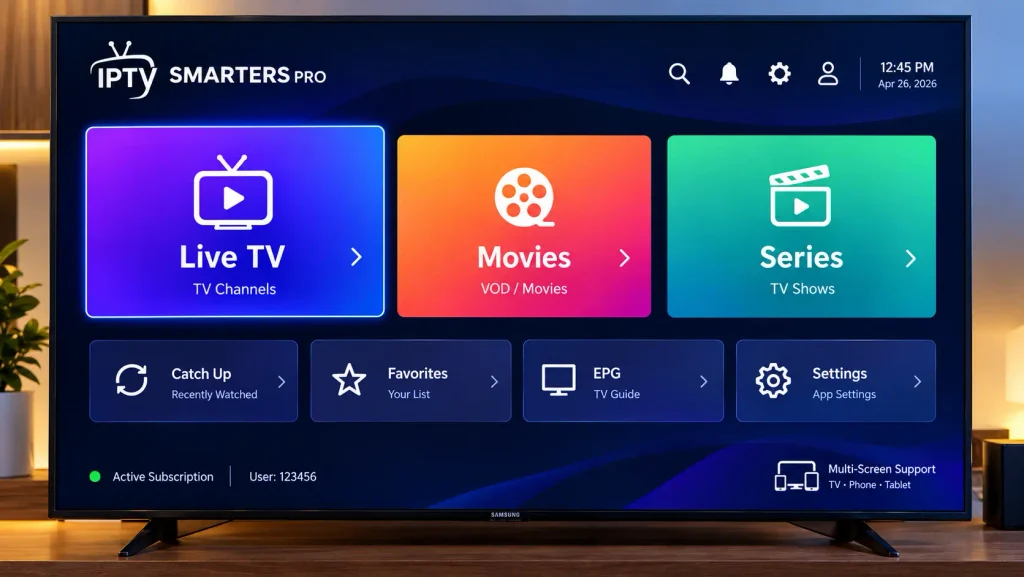
This method suits most users because IPTV Smarters Pro supports Xtream Codes logins, EPG, parental controls and multiple users (Samsung Apps listing).
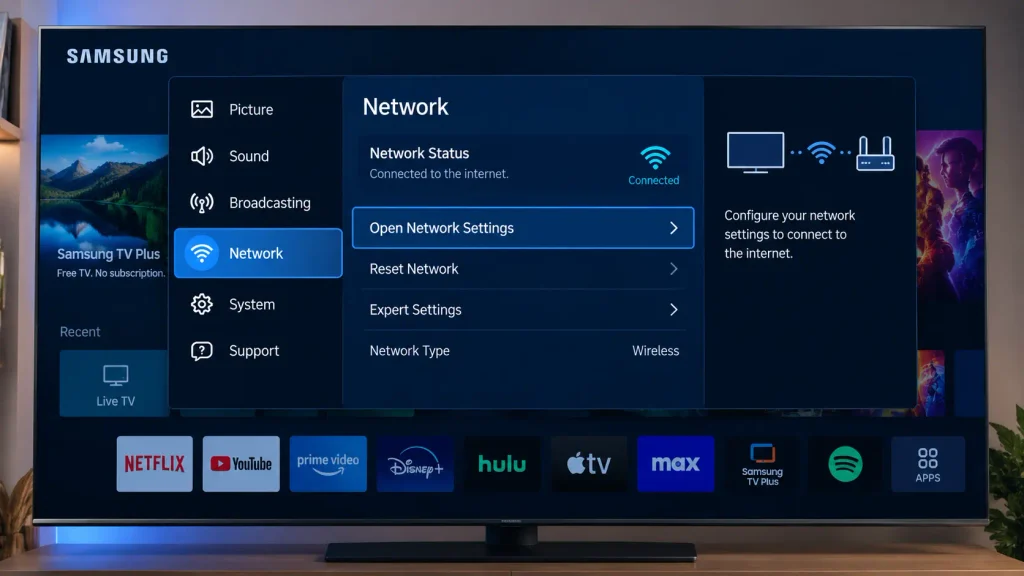
Step 1: Connect Your Samsung TV to the Internet
Go to Settings → General (called Connection on newer models) → Network → Open Network Settings, then pick Wired or Wireless and connect.
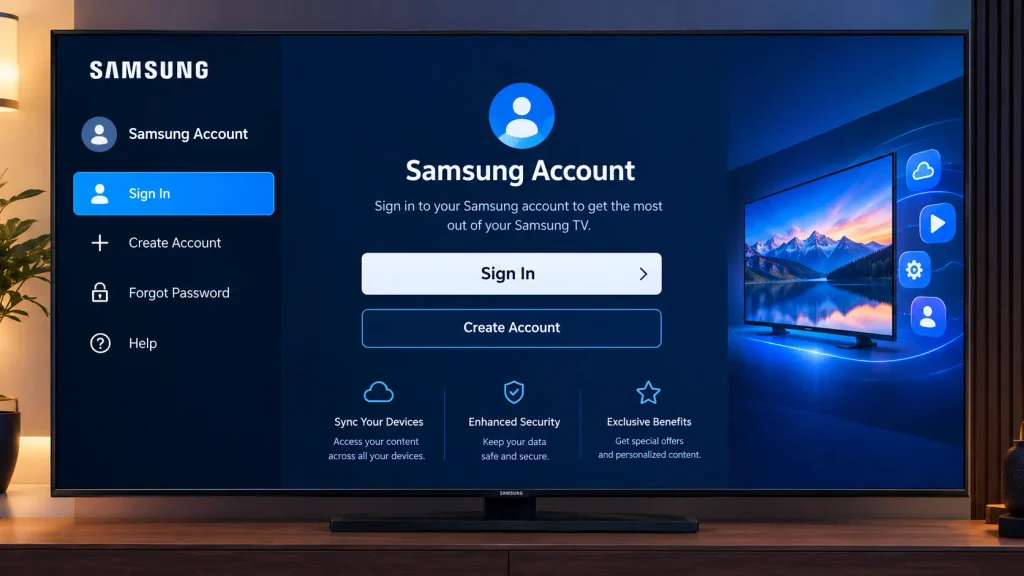
Step 2: Sign In to Your Samsung Account
Open Settings → General → System Manager → Samsung Account and sign in or create an account. The exact path varies slightly by model year.
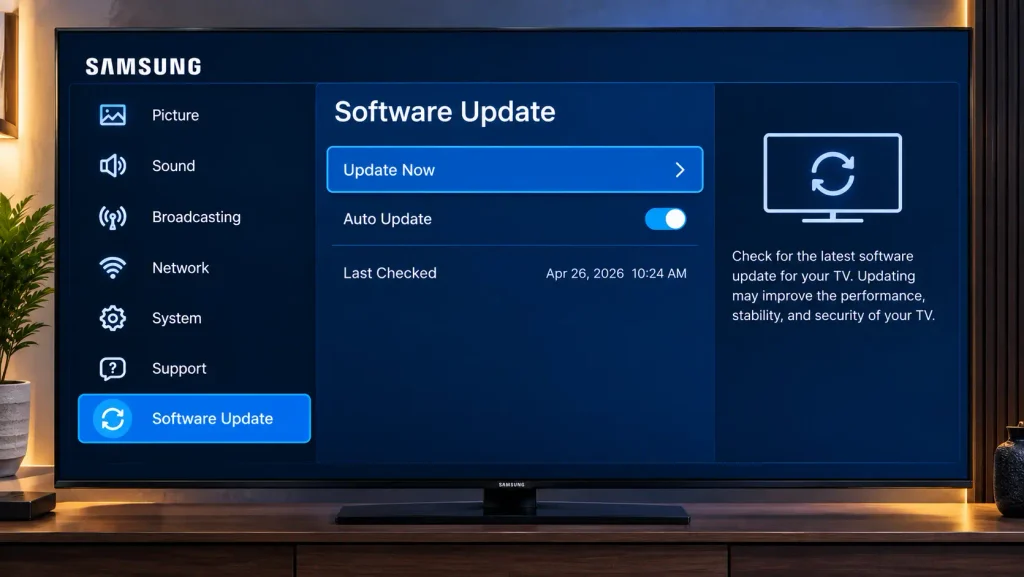
Step 3: Update Your TV Software
Go to Settings → Support → Software Update → Update Now. Up-to-date firmware gives you access to the widest range of apps.
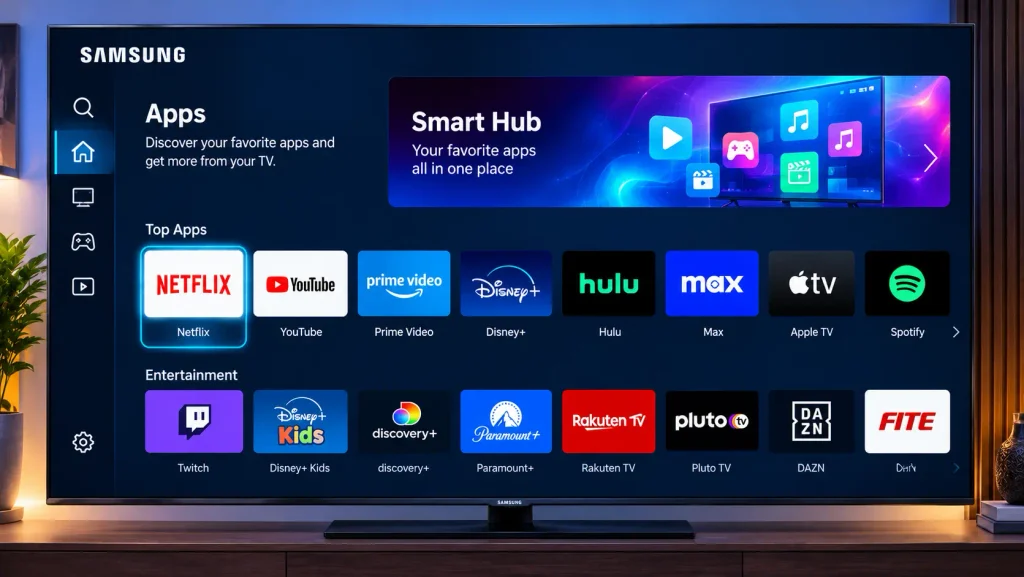
Step 4: Open the Apps Section in Smart Hub
Press the Home button on your remote and select Apps.
Step 5: Search for the IPTV Smarters Pro Samsung TV App
Select the magnifying-glass Search icon, type “IPTV Smarters Pro”, and choose it from the results. Samsung’s own instructions follow the same search-then-install flow (Samsung Support: Use apps on your Smart TV).
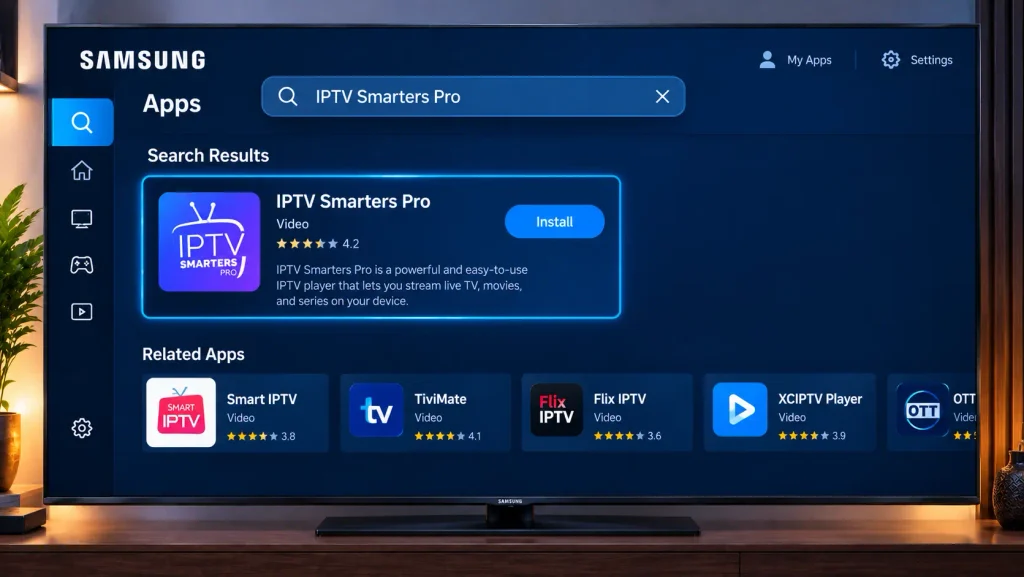
Step 6: Install the IPTV App for Samsung TV
Select Install and wait for the download to finish. Then choose Add to Home so the app is easy to find later.
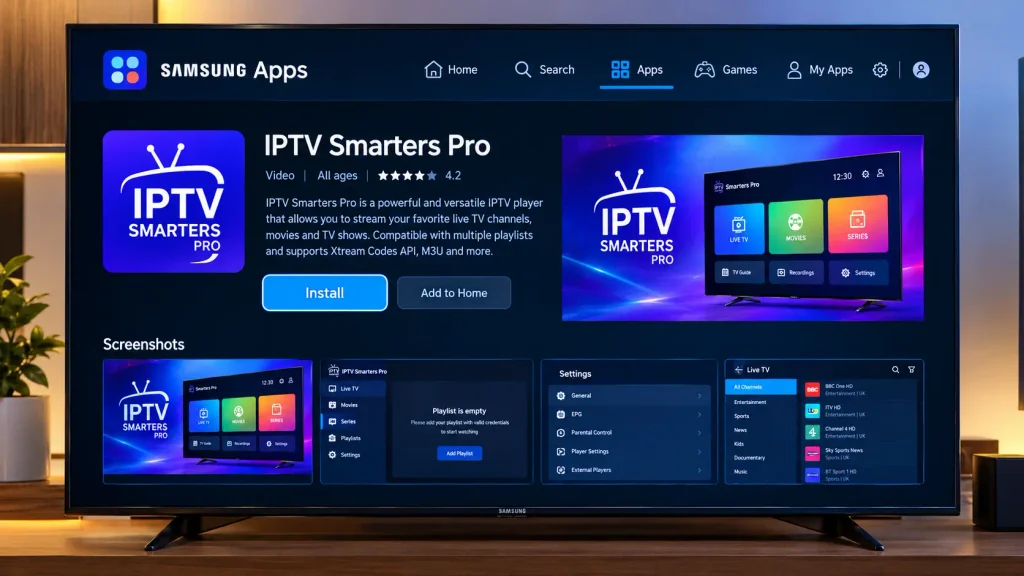
Step 7: Open IPTV Smarters Pro
Launch the app from your Home screen and accept the terms of use.
Step 8: Choose the Xtream Codes API Login
Select Login with Xtream Codes API. On some versions this option is labelled Add New User.
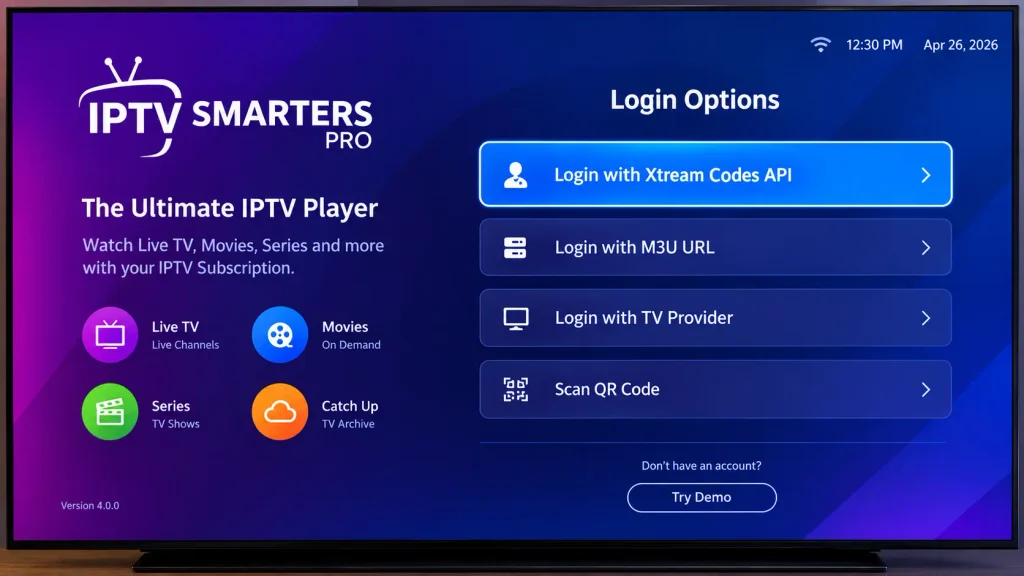
Step 9: Enter Your Subscription Details
Type any profile name, then enter the username, password and server URL exactly as your provider sent them, including http:// and the port number if one is given.
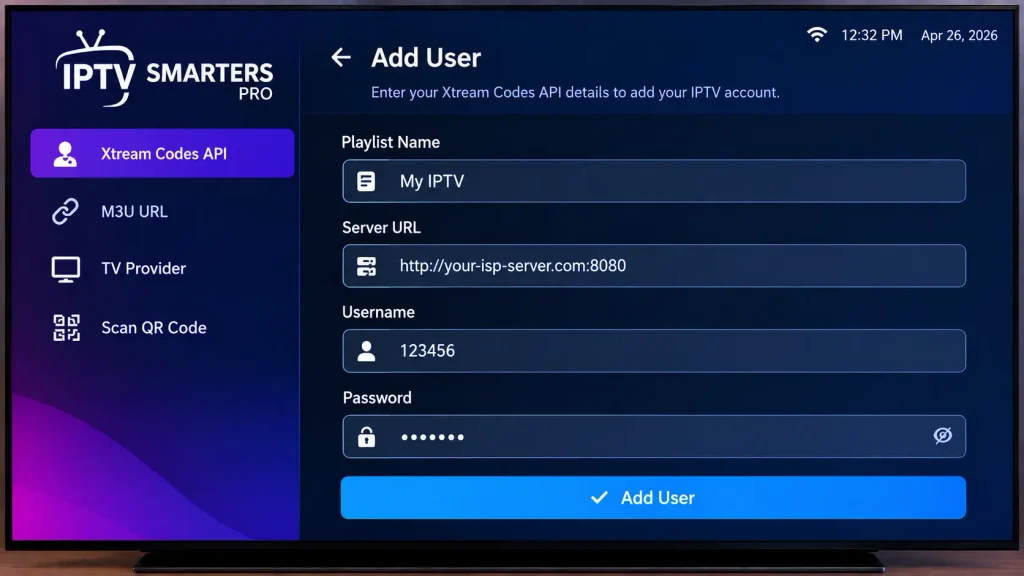
Step 10: Select Add User to Load Your Content
Select Add User. The app downloads your live channels, movies, series and program guide, which usually takes under a minute.
Method 2 – Samsung TV IPTV Player Setup with Smart IPTV (M3U + MAC Address)
Use this method if your provider gives you an M3U playlist URL instead of Xtream Codes. For a deeper walkthrough of the app itself, read our full guide on how to set up Smart IPTV.
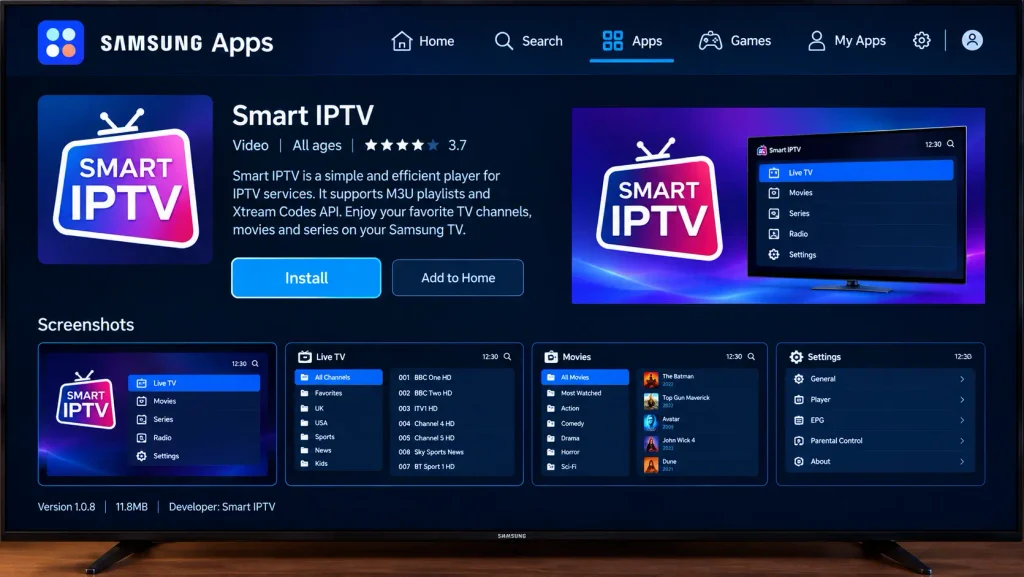
Step 1: Install the Smart IPTV Application from Samsung Apps
Search for “Smart IPTV” in the Apps section (it’s listed in the Video category) and select Install.
Step 2: Open the App and Note Your MAC Address
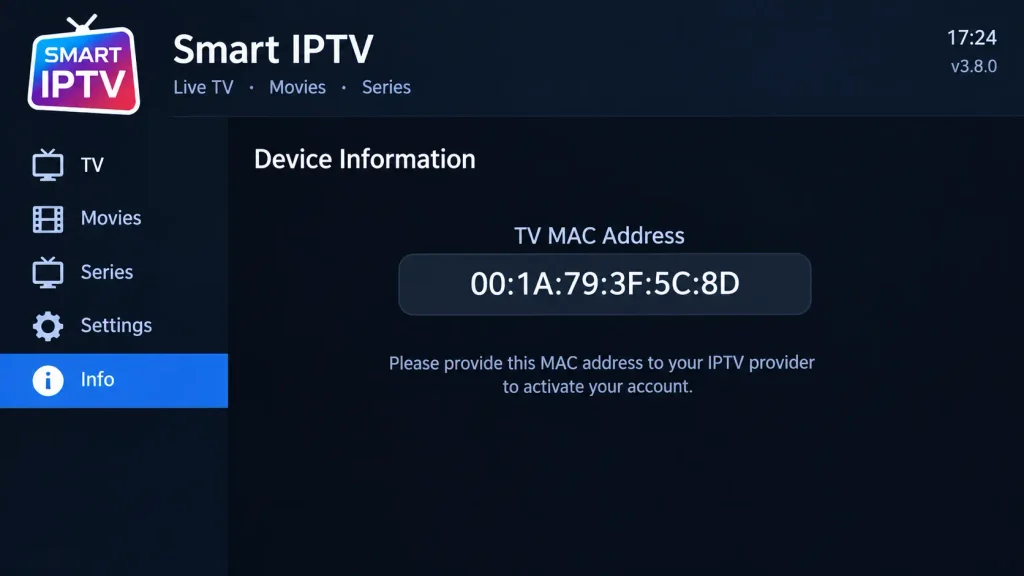
Launch Smart IPTV. A MAC address appears on screen; write it down exactly.
Step 3: Upload Your M3U Playlist from a Phone or Computer
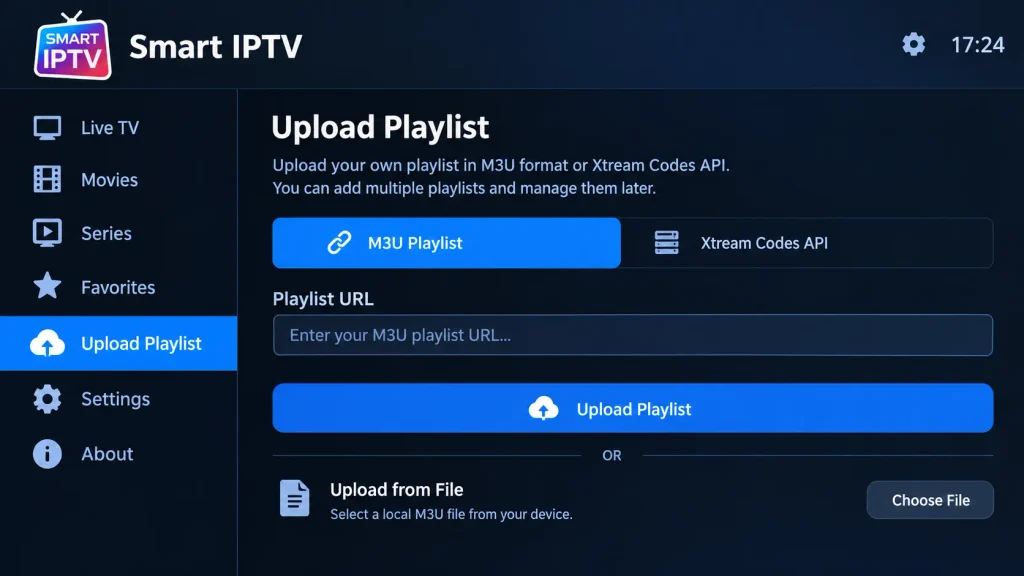
On another device, go to the playlist upload page on the official Smart IPTV website. Enter your TV’s MAC address and paste your M3U URL. The developer’s Samsung setup page explains the process and activation terms.
Step 4: Restart the App on Your TV
Close Smart IPTV completely and reopen it. Your channel list should now load.
Older TV without Smart IPTV in the store? The developer offers a USB install. You extract a Tizen widget file to a FAT32 USB drive and plug it into the TV, and the app then appears under My Apps. Follow the developer’s official instructions exactly if you use this route.
Tips for Smoother IPTV Streaming on Samsung
- Go wired. Use an Ethernet cable for live sports, where buffering is most noticeable. Our IPTV for sports guide covers what to look for in a provider.
- Lock apps for kids. In Apps → Settings, you can lock an app behind your TV PIN. The default PIN is usually 0000, so change it.
- Keep apps updated. Updated player apps are less likely to crash after firmware changes.
- Set up the EPG. If the program guide is blank, ask your provider for an EPG URL and add it in the app’s settings.
Troubleshooting Common IPTV Samsung TV Problems
The IPTV Smarters Pro Samsung TV app doesn’t appear in Smart Hub
App availability depends on your country and TV model year, and some users with 2024 models report the app missing even though it’s available on older sets. First update your TV software, then search again. If it’s still missing, choose another certified app iptv Samsung users rely on, such as Smart IPTV or Smart IPTV Player.
“Authorization failed” or invalid login in the IPTV player for Samsung TV
This almost always means a typo. Re-enter the server URL with http:// and the port, and check that the username and password match exactly, since they are case-sensitive. If the details are correct, ask your provider whether your subscription is active or has hit its connection limit.
Channels load but won’t play, or keep buffering
Restart your router and TV, and switch to a wired connection if you can. In apps that allow it, try the other video player (native vs. HTML) or the other stream format (TS vs. M3U8). If only certain channels fail, the problem is on the provider’s server rather than your application iptv Samsung setup.
Smart IPTV shows no channels
Confirm that the MAC address you entered online matches the one on your TV exactly, then restart the app. If you’re unsure whether your provider uses MAC-based or URL-based access, review our guide to M3U URLs and MAC addresses.
The IPTV app freezes or crashes
Delete and reinstall the app first. If that doesn’t help, reset Smart Hub via Settings → Support → Device Care → Self Diagnosis → Reset Smart Hub (default PIN 0000). This clears all downloaded apps and stored accounts, so you’ll need to reinstall and log in again (Samsung Support: Reset Smart Hub).
You can’t download any apps at all
Check that you’re signed in to your Samsung account and that the TV is online. Without both, no IPTV Samsung TV app can be installed.
Frequently Asked Questions
Can I install IPTV on a Samsung Smart TV?
Yes. Install a certified IPTV player such as IPTV Smarters Pro or Smart IPTV from the Samsung Apps store, then log in with the M3U or Xtream Codes details from your provider. You can’t install APK files because Samsung TVs run Tizen, not Android.
What is the best IPTV app for Samsung Smart TV?
IPTV Smarters Pro is the most popular choice for Xtream Codes logins, and Smart IPTV is a long-standing option for M3U playlists. The right pick is the one available in your region that supports your provider’s login format.
Why can’t I find IPTV Smarters Pro on my Samsung TV?
Availability varies by country and model year. Update your TV software and search again. If it’s still missing, use another certified player such as Smart IPTV or Smart IPTV Player.
Is IPTV legal to use on a Samsung TV?
IPTV player apps are legal; they are just video players with no content of their own. Legality depends on whether your provider holds the rights to what it streams. Read our guide to legal IPTV to learn how to tell the difference.
Conclusion: Enjoy IPTV on Your Samsung Smart TV
Getting your IPTV Samsung Smart TV setup running takes about ten minutes. Connect the TV, sign in to your Samsung account, update the software, install a certified player, and enter your login details. Use IPTV Smarters Pro for Xtream Codes, or follow our Smart IPTV setup guide if you have an M3U playlist. Still shopping for a provider? Compare our top-rated IPTV service providers, then test one risk-free with a free IPTV trial before you commit.
